One PC
$19one time
For your personal workstation.
- 1 Windows PC
- 1 activation code, tied to your email
- All monitoring and response options
- Offline use after activation
Your desktop has rules. Make them count.
Lock Windows on a keypress. Restart on a USB change. DeskLatch watches for the activity you choose and requests the response you set.
One-time purchase · Local event monitoring · Your Windows sign-in
WHEN ACTIVITY IS DETECTED
Illustrated configuration. Every action is your choice.
Explore real app screenshots and animated walkthroughs. Start with a visible desktop, add rules while Windows is locked, or fit monitoring around your routine.
Keep a dashboard, download or project in view. Enable DeskLatch, step away, and choose which activity should request the Windows sign-in screen.
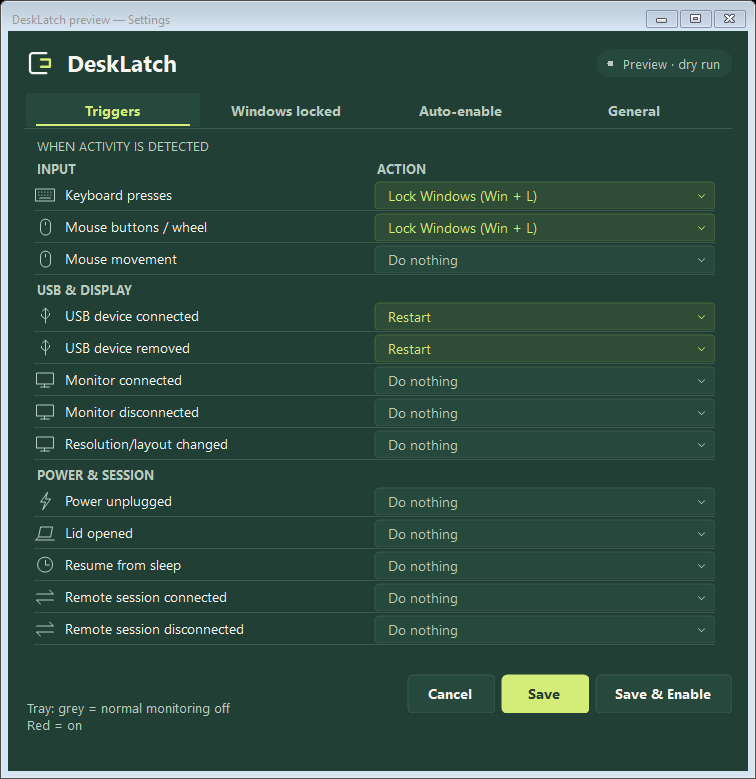
Illustrated screens. Appearance varies with Windows settings.
Use a separate set of rules for USB devices, displays, power and other reported events while the Windows lock screen is active. Normal monitoring can stay off.
Illustrated screens. Appearance varies with Windows settings.
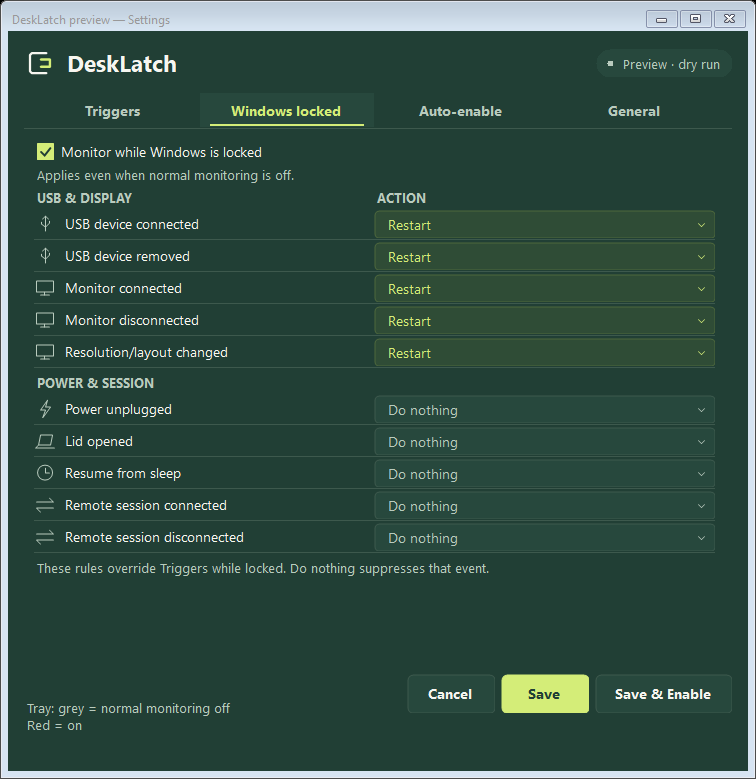
USB rules respond to reported connections or removals, not a trusted-device list. They cannot identify a “foreign” device or block it before Windows detects it.
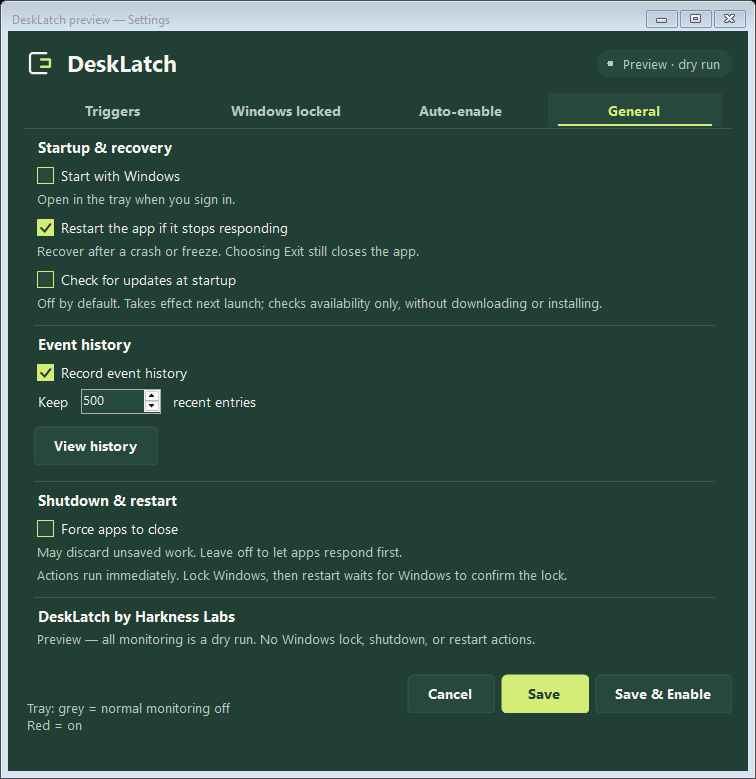
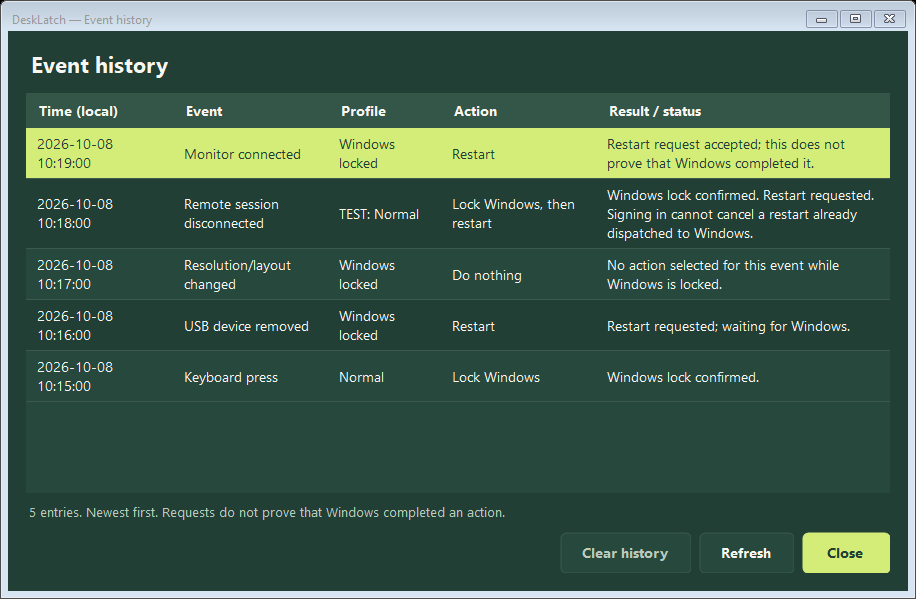
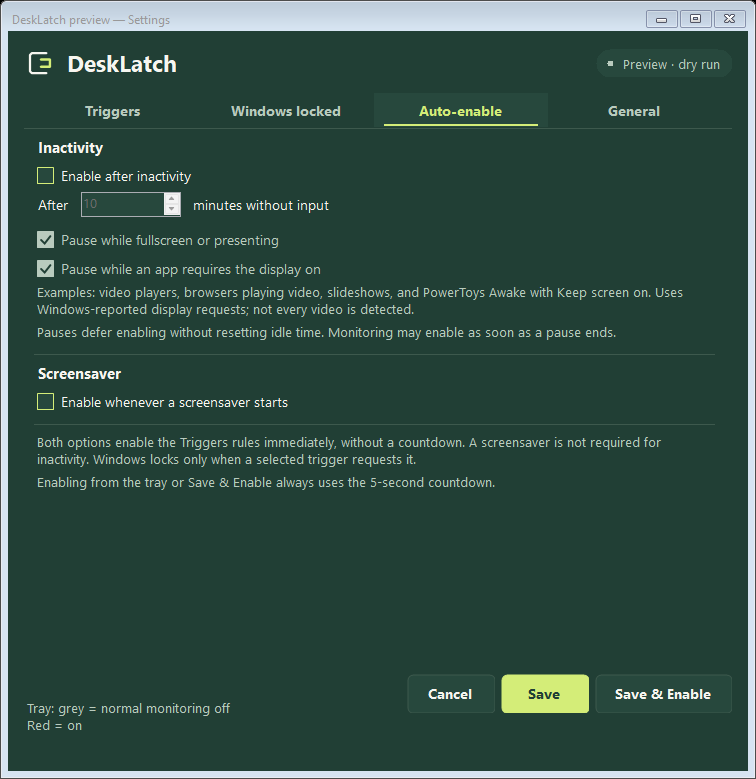
Enable after inactivity, pause for supported presentations, review events locally, and decide whether DeskLatch starts with Windows or recovers after a crash.
All features included. One-time payment in USD. No subscription.
For your personal workstation.
For your own small collection.
10-seat minimum. Buy the seats you need.
Pay with PayPal. Activation codes are emailed after payment is verified. License details
Keep your desktop visible, then request native Windows sign-in on a click or keypress. Configure DeskLatch and understand when Windows actually locks.
02 / USB & hardwareConfigure a Windows shutdown response to USB arrival, test it safely, and learn why DeskLatch cannot distinguish a foreign device from a trusted one.
03 / Automatic & sessionUse a Bluetooth-paired phone to let Windows Dynamic Lock lock your PC, then apply DeskLatch USB and display rules for the locked session.
No. DeskLatch requests the native Windows lock. Your normal Windows password, PIN or other configured sign-in method unlocks it. There is no custom password overlay.
No. It responds to input event types. Optional local history records that activity occurred, not keystrokes, typed text or screenshots.
No. Enabling arms your rules. A matching event triggers the selected response. You can also use Windows + L at any time.
Business licenses cost $5 per workstation, with a minimum of 10. You receive a different activation code for every seat, all sent to the purchase email. This is per-PC software, without a central administration console.
Purchase and initial activation require internet access. A verified activation is stored locally for offline use. Optional startup update checks contact the product website only when you enable them.
Set up your Windows workstation with DeskLatch.